Creating Test Plans
Last updated: December 29, 2025
A Test Plan is a group of Test Cases designed to be executed together. Test Plans are built to help teams manage test campaigns, system acceptance tests, and automated software testing.
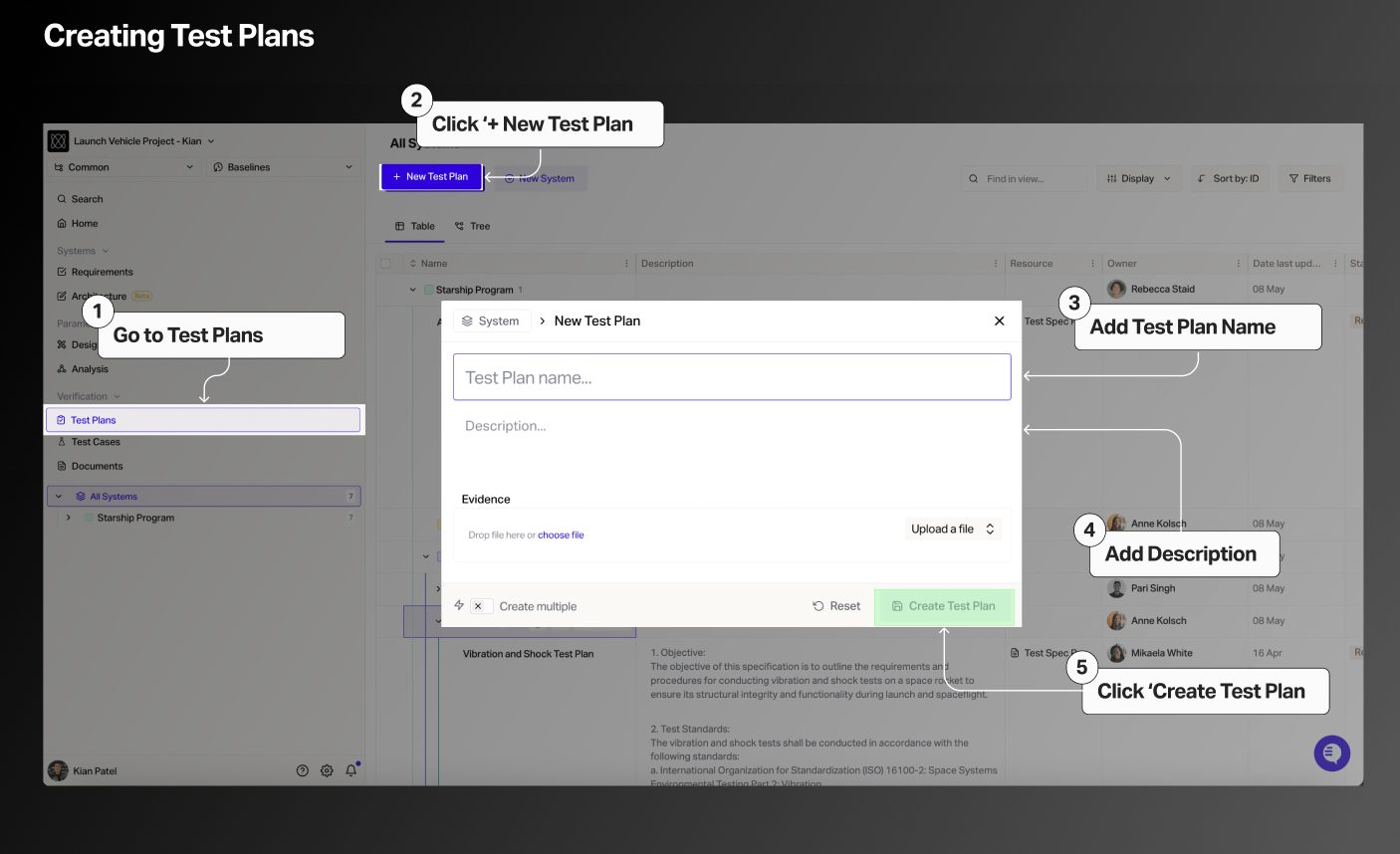
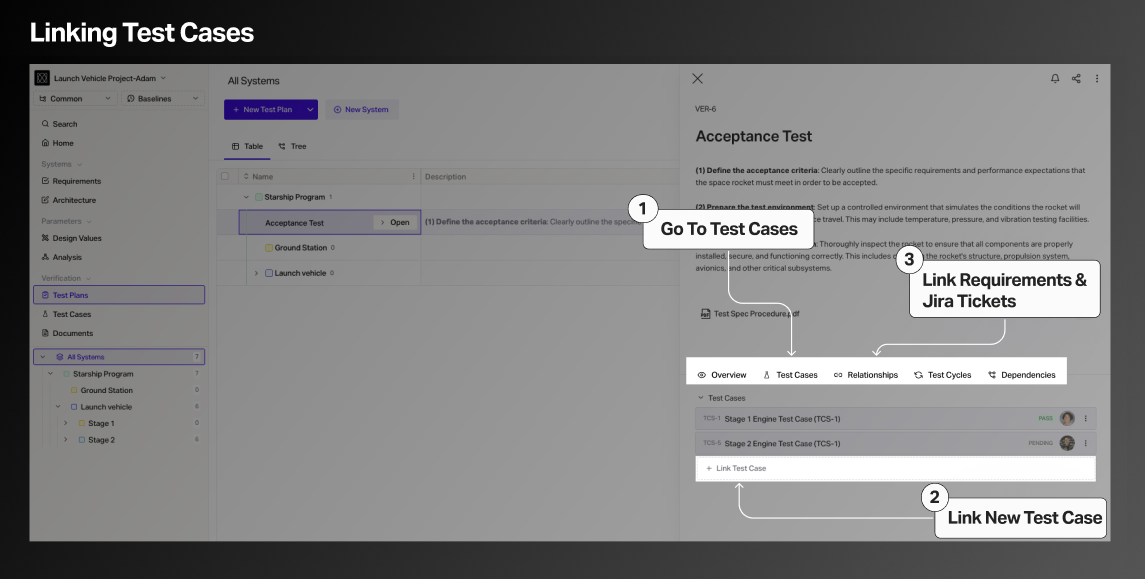
To create Test Plans follow these steps:
Create Test Plan
Link to Test Cases, Requirements, and Jira Tickets
Create Test Cycles
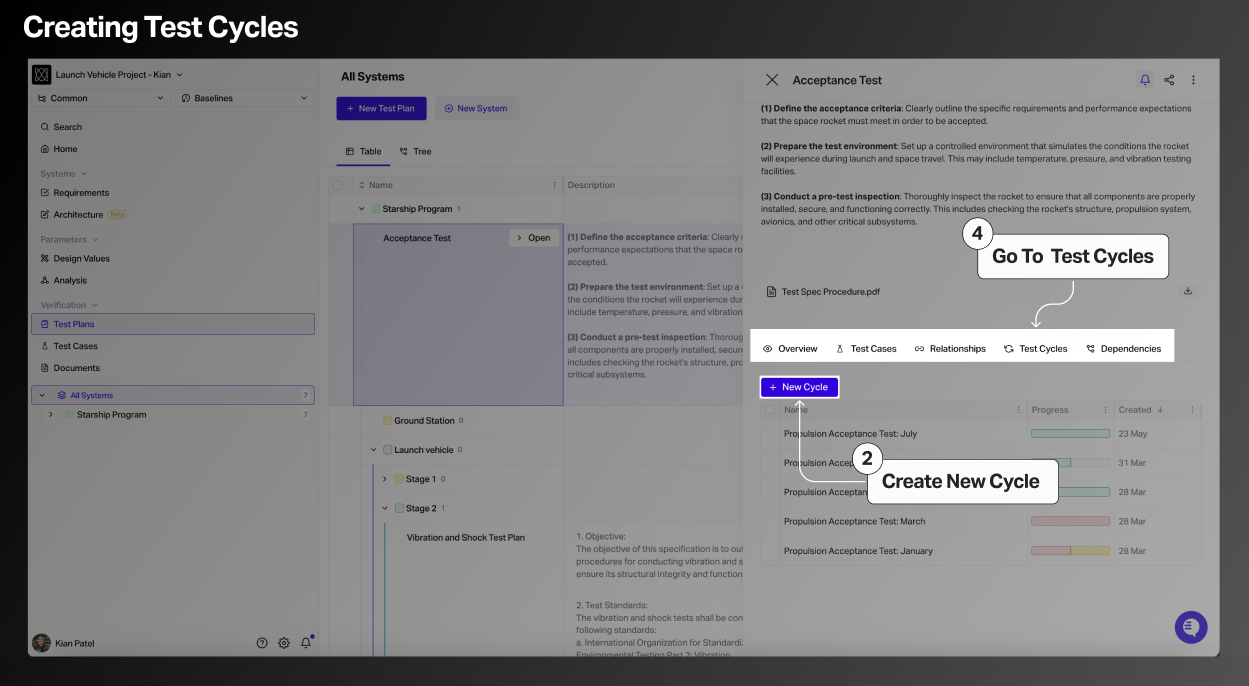
Each time a Test Plan is executed, Flow creates a Test Cycle. A Test Cycle contains:
All individual Test Runs from each Test Case
Overall pass/fail metrics
Time-stamped execution history
Notes and attachments
Custom fields
Test Cycles allow teams to audit multi-test verification efforts with complete transparency.
Test Cycles can be executed from the Flow UI as seen in the video, or driven via the REST API for bespoke automatic verification needs.