Flow AI
Last updated: April 27, 2026
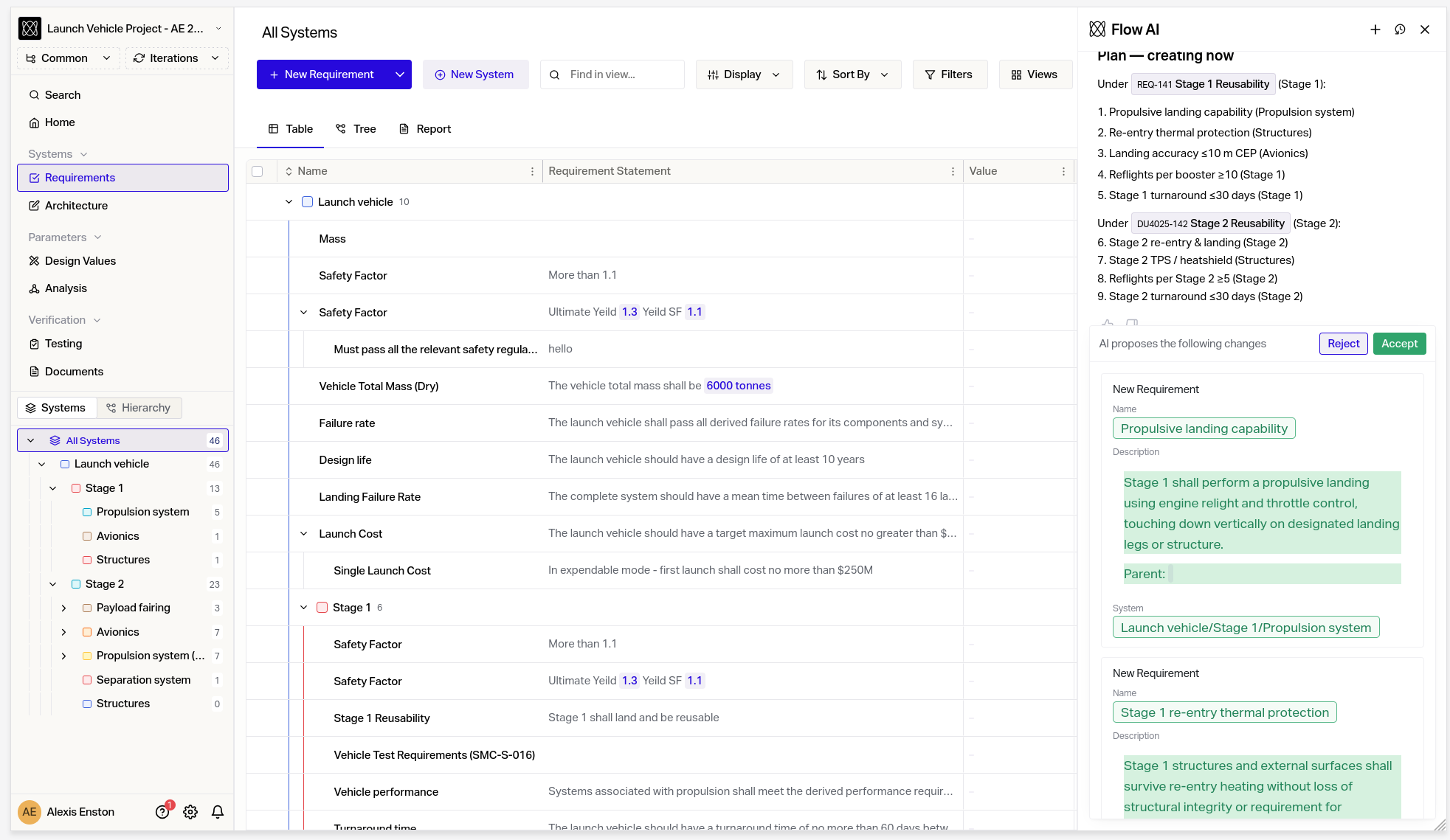
Flow AI is an agent built directly into Flow that understands your project's requirements, test cases, design values, systems, and the relationships between them. Ask it questions in natural language, explore traceability, generate sub-requirements, and — when you're ready — let it draft and apply changes for you. Open it from anywhere in Flow with Cmd+J (or Ctrl+J on Windows), or click the ai icon in the bottom-right corner.
What you can do
Ask questions about your project
Search for requirements, test cases, design values, systems, risks, documents, and more using natural language.
Drill into a specific item to see its full details, parents, children, and linked test cases.
Explore your system hierarchy and understand how components decompose.
Surface traceability gaps and review test coverage across requirements.
Generate sub-requirements
Decompose a parent requirement into structured sub-requirements with one prompt.
Review the suggestions before anything is written to your project.
Plan before you change
Plan Mode lets Flow AI produce a detailed, numbered plan of what it would do — without touching your data. Approve the plan and Flow AI will carry it out; reject it and nothing changes.
Create requirements, test cases, and systems.
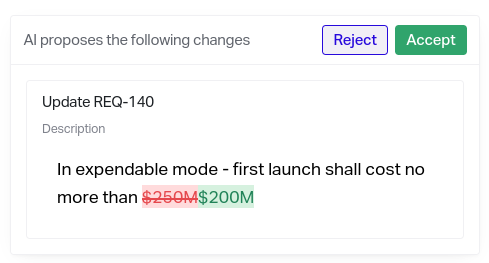
Update names, descriptions, values, units, and system allocations on existing items.
Link test cases to the requirements they verify.
Every write goes through an approval step. You see exactly what Flow AI proposes — item by item — and choose what to apply.
What's next
This is the foundation. We're already working on deeper context, more tools, broader item-type coverage, and tighter integration with Flow's review and change-request workflows. If there's a workflow you'd like Flow AI to handle, let us know with the in-chat feedback button.