Creating Requirements
Last updated: January 8, 2026
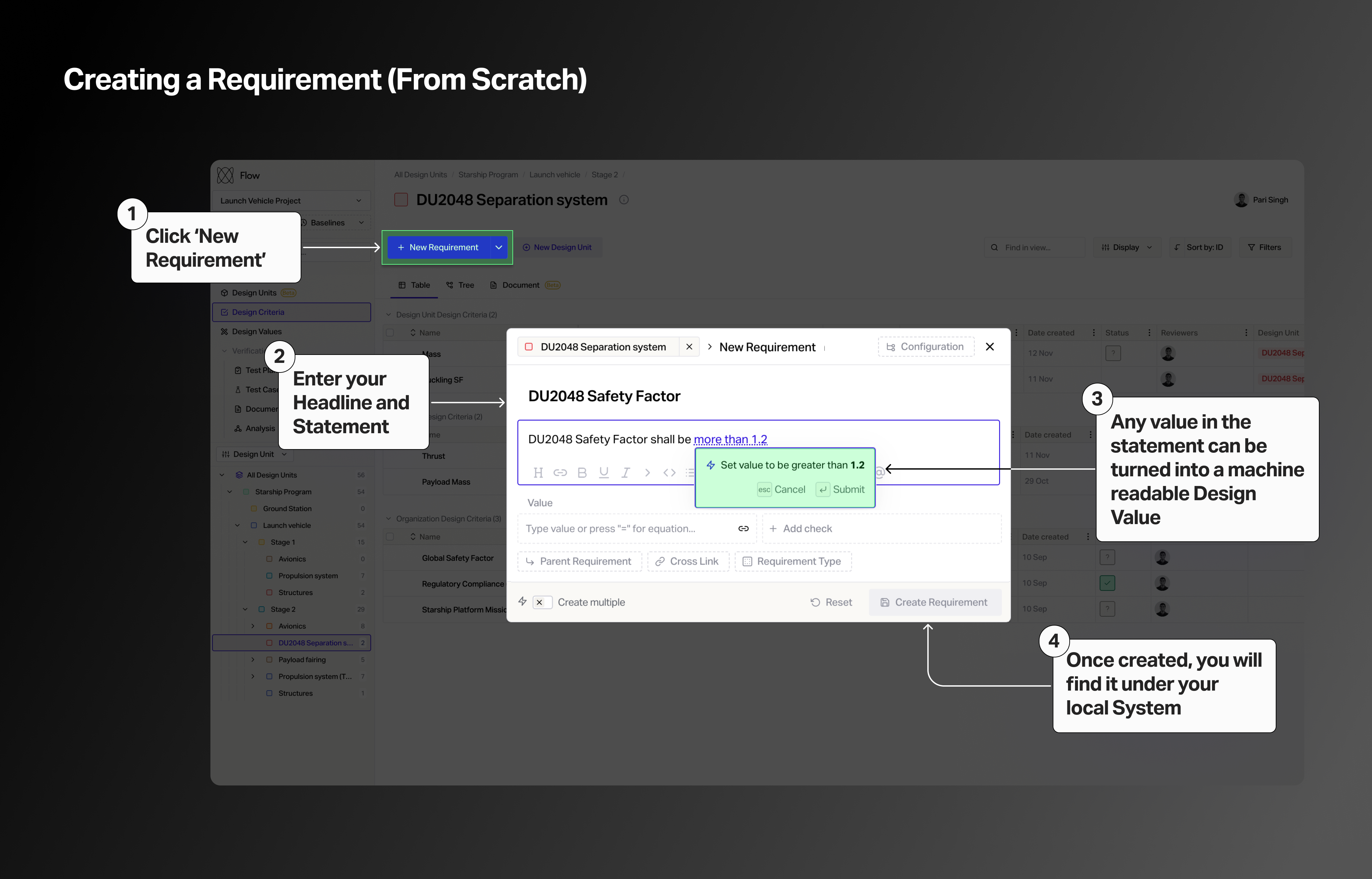
To get started, click on Requirements in the left hand sidebar and click on New Requirement.
Give your new requirement a Requirement Name and a Requirement Statement.
You can format the text in your requirement statement using the controls at the bottom of the text box (common keyboard shortcuts such as command/control + B, as well as Markdown tags such as # for H1 all work). You can even drag and drop images into the requirement statement field.
The AI assistant will atomically detect quantitative values in your requirement statement and convert it into a Requirement Value. To learn more about this functionally, view the following article.
📄 Requirement Statement Automation
Organizing requirements
Once you have created or imported a handful of requirements you can organize them into a logical parent-child hierarchical relationship using drag and drop in the list view.
Parent and child relationships (as well as cross links to other requirements that are not part of a parent-child hierarchy) can also be viewed and edited from under the Relationships tab of each individual requirement.
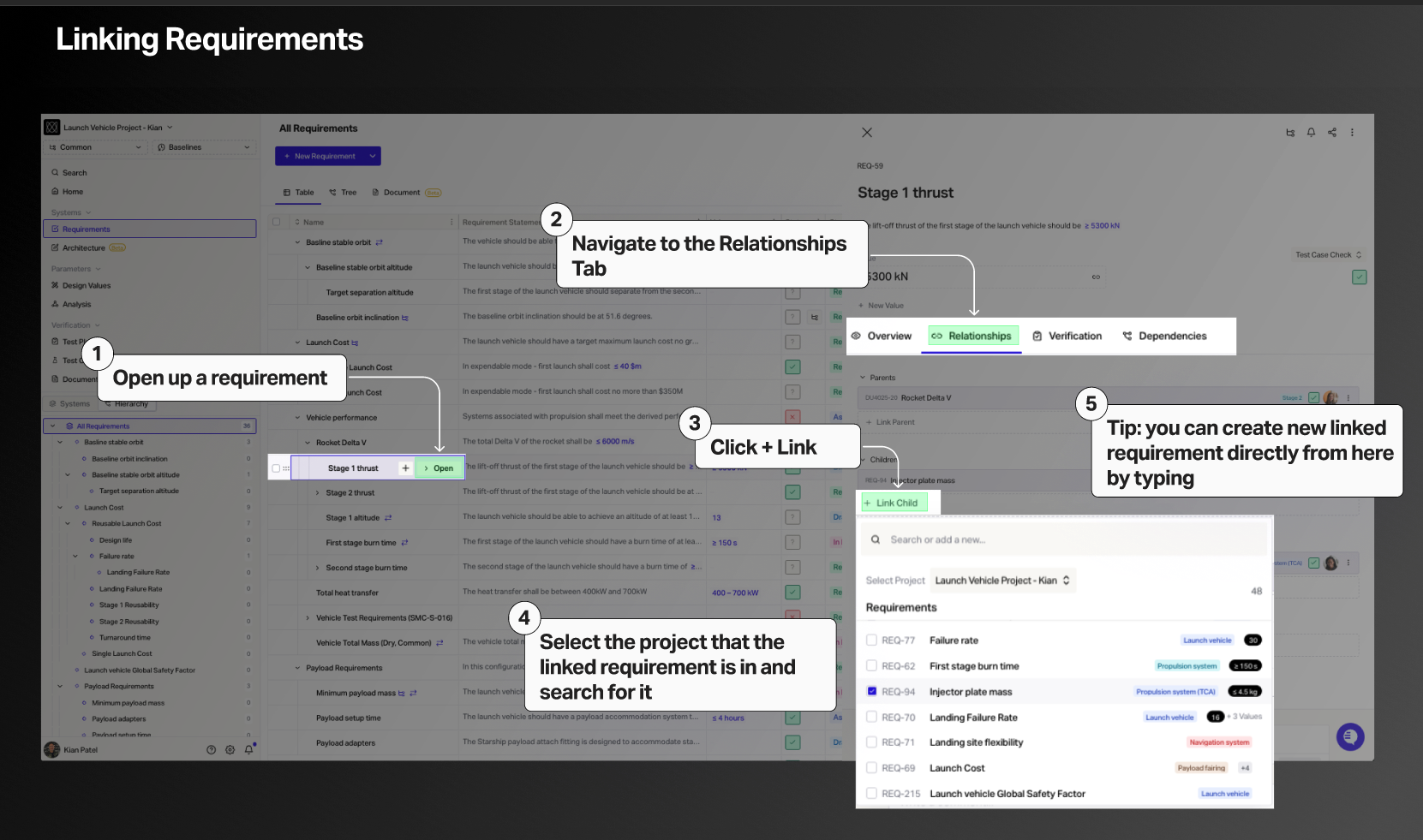
Cross-Links can be created between different Projects and Configurations.
Note: Requirements in Flow may also be referred to as Design Criteria. This setting can be toggled in Settings -> Organization -> General.