Navigating to a System
Last updated: January 5, 2026
In Flow, there are a few different ways of navigating to any given system.
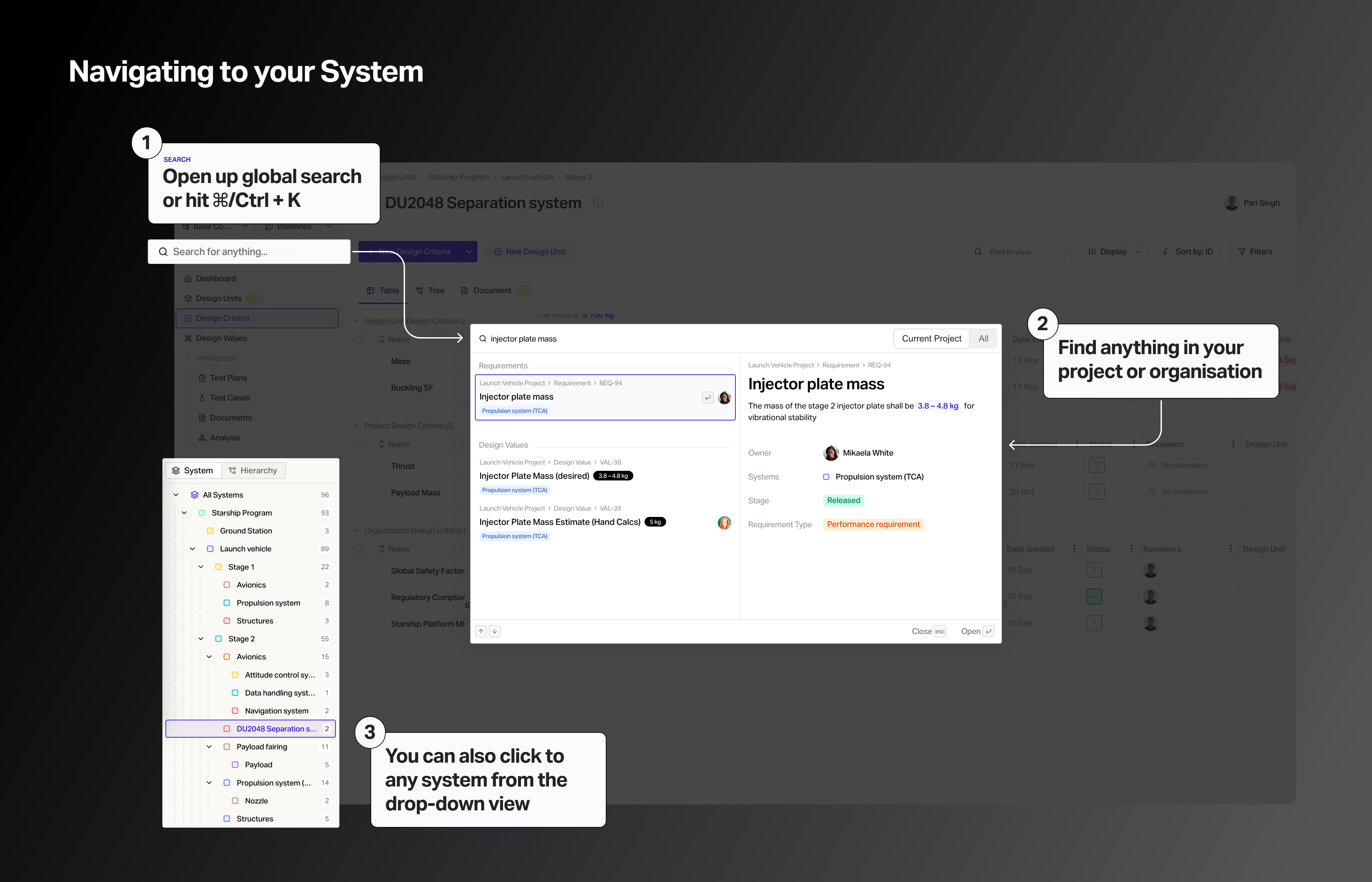
You can navigate to the global search (or hit ⌘/Ctrl + K) where you can search and find anything inside your project or organization.
There's is also a drop-down of all systems visible in the bottom-left part of the user interface.
To create a shortcut to any system, you can just copy & paste the URL when you're viewing a system and add this to your bookmarks for faster access.