Connecting Your First Model
Last updated: December 20, 2024
Connecting a spreadsheet model
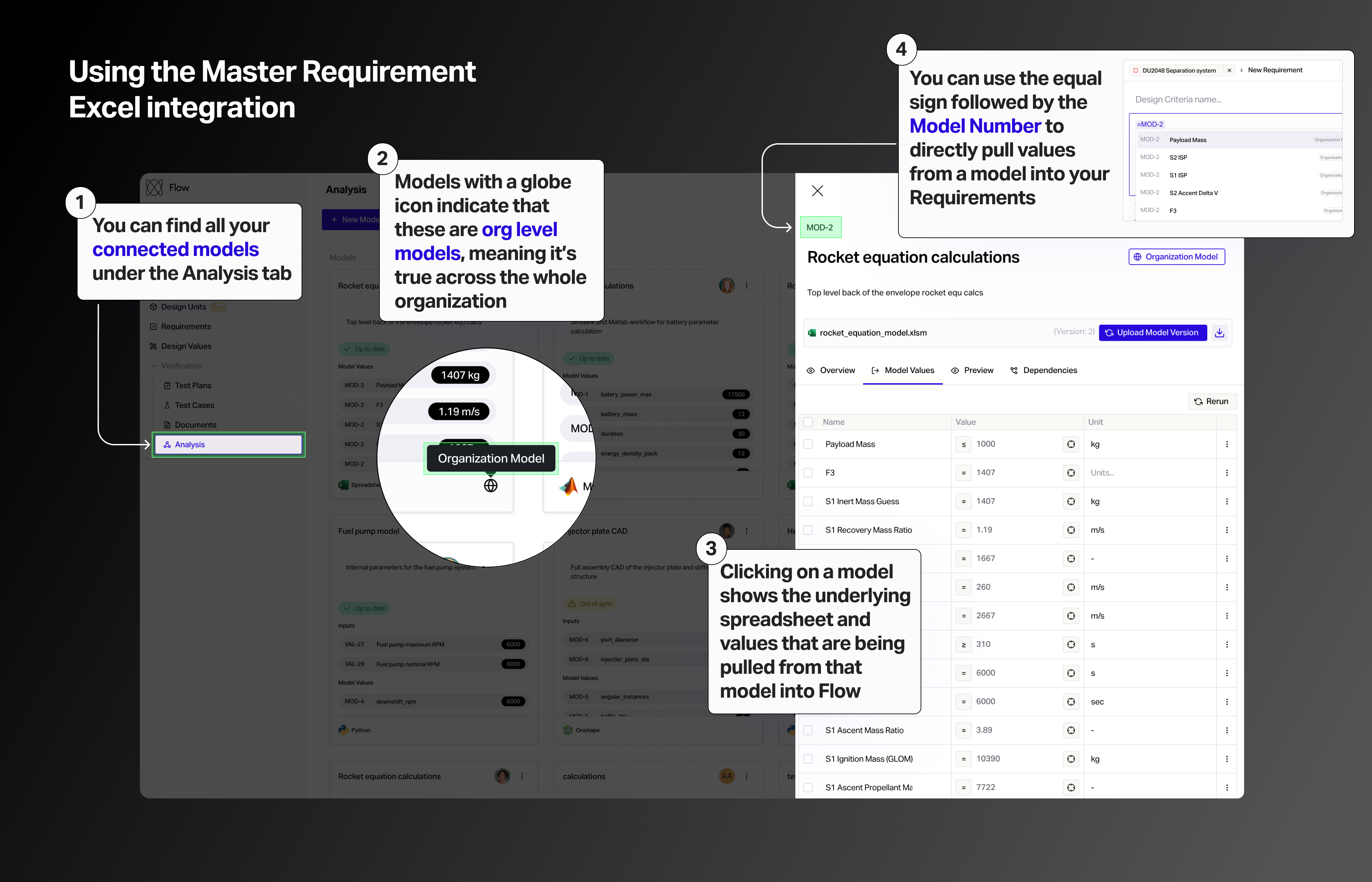
Head over to the Analysis section. This is where you will find all the models connected to Flow. Click New Model after which you can either bring in a excel file or connect a Google spreadsheet.
Using the models in your requirements
Under any mode, when you click preview, you can see Flow is pulling values from that model you can use in your requirements.
When creating new design criteria, using the equal sign followed by the model number (e.g. =MOD-2), allows you to easily pull values from that model.
Global models
Models with a globe icon indicate that these are org level models, meaning it’s true across the whole organization. When we click into it, you can see the underlying spreadsheet