Customizing Views
Last updated: October 18, 2025
Views in Flow are flexible and can be customized to display the information you care about the most.
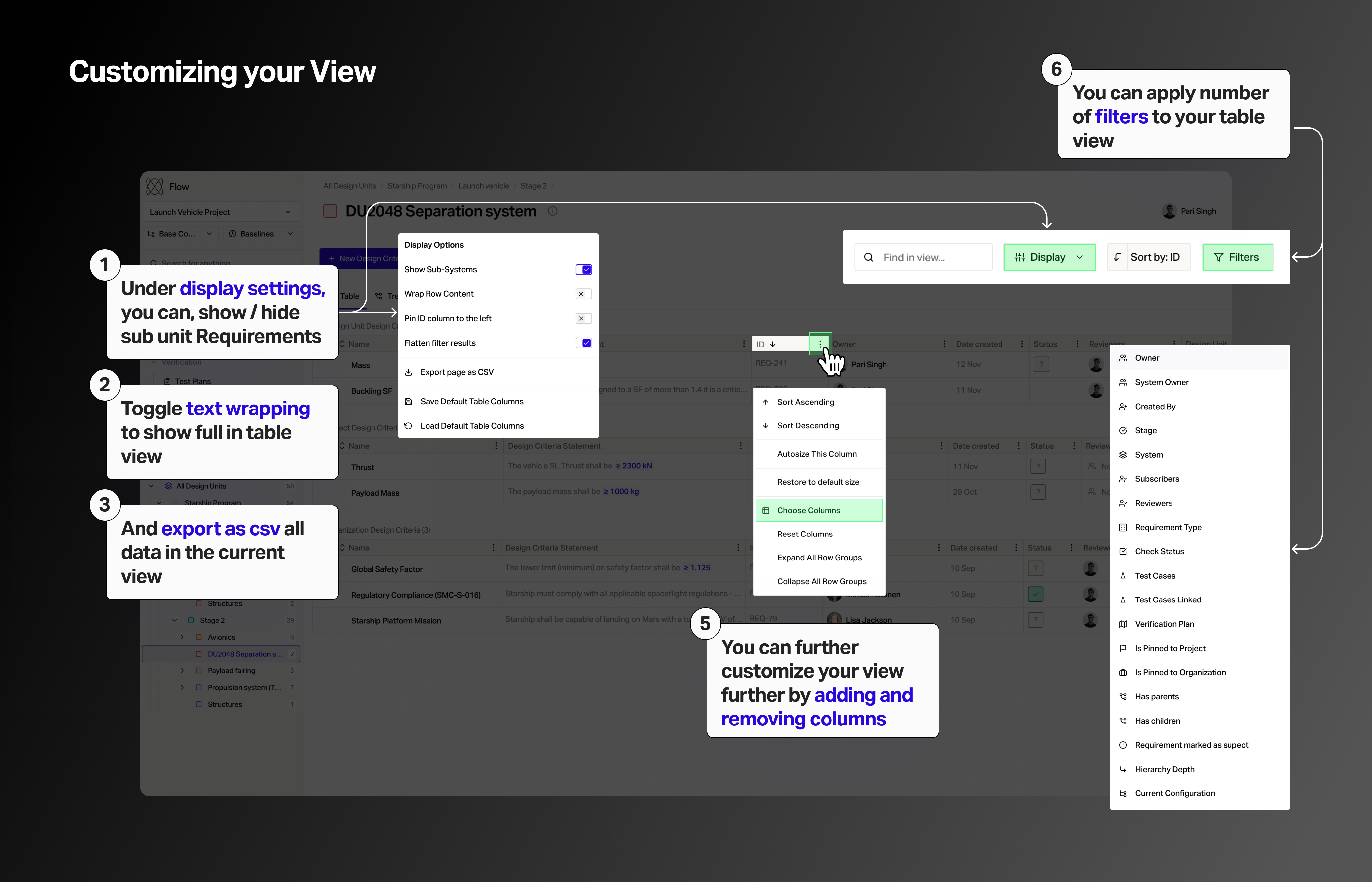
You can drag columns and organize them in table view as well.
Display settings
In the table view, under display setting, you can show and hide sub systems
Toggle text wrapping to show full requirement statements
Avoid system structure from changing when applying filters
Once you've edited your view, you can click Save Default Table Columns to save the your settings
Filters & columns
You can combined filter and sorts in the table view
The order of columns can be reorganized by dragging them
To display and hide columns, select Choose Columns and select the ones you want to display
Other controls
Here, you can also export (.csv) all data in a view
There is a dedicated search bar for finding anything in the current view