System, Project, and Organization-Level Requirements
Last updated: December 18, 2025
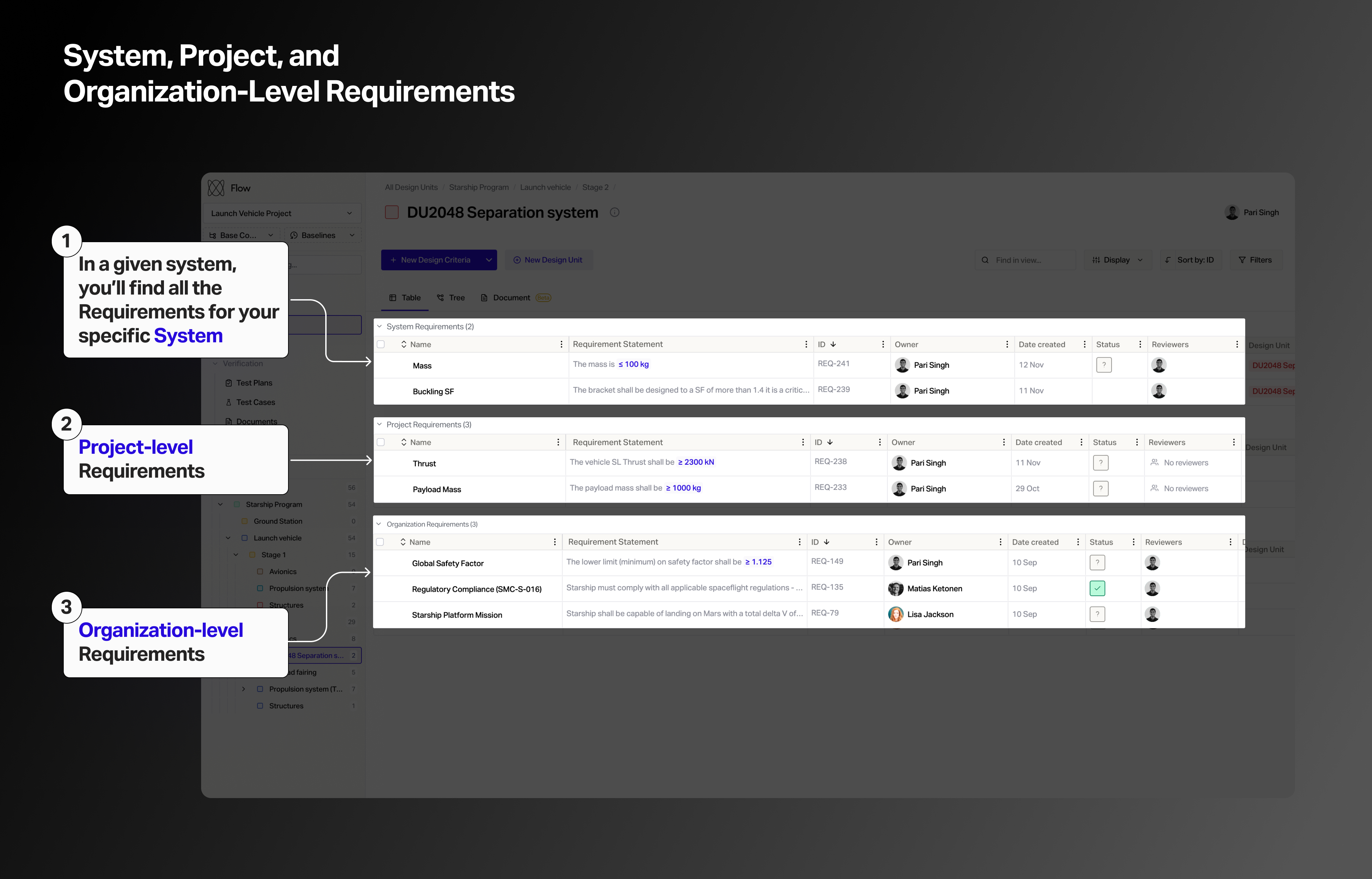
In Flow, requirements can be applied to three distinct categories.
When viewing a given system, you may see any of the following:
(1) System-level requirements are local to a given system
(2) Project-level requirements are shared across all systems in your project
(3) Organization-level requirements are shared across all projects and systems in your organization.
How to Make Project-Level Requirements
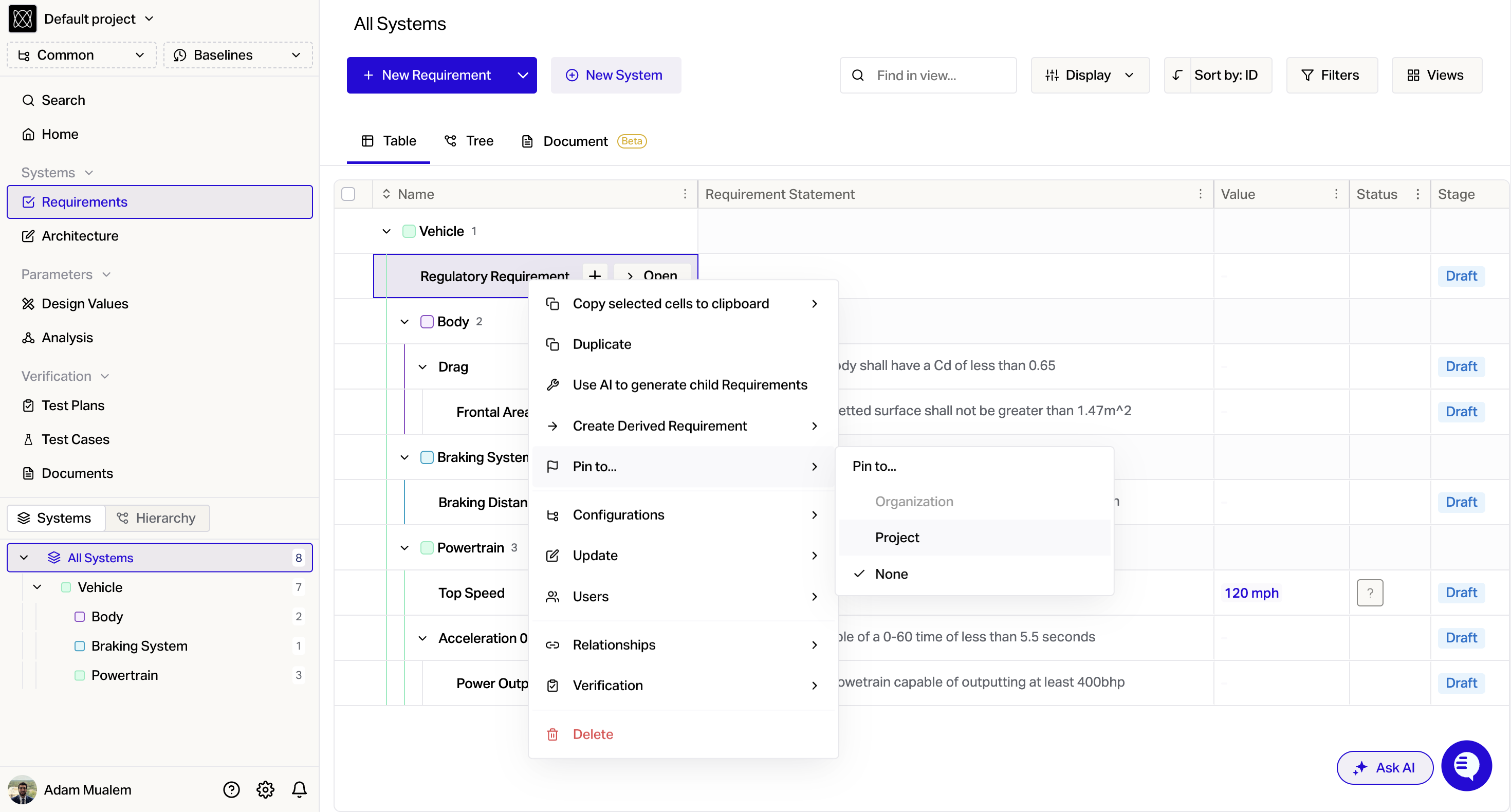
Right click on any requirement in your project
click Pin to...
Select Project
Note: This will remove requirement from any systems it is currently assigned to.
How to Make Organization-Level Requirements
In a Flow, only one project can be marked as the Organization level project at any given time. Only Admins can change this option. Organization-Level Requirements may only be defined from this one project.
To assign a project as Organization Level:
Press the Settings Gear at the bottom left
Scroll down to Organization Settings and select General
Choose a project from the dropdown for the Organization Level Project
Now, navigate to the Organization Level Project.
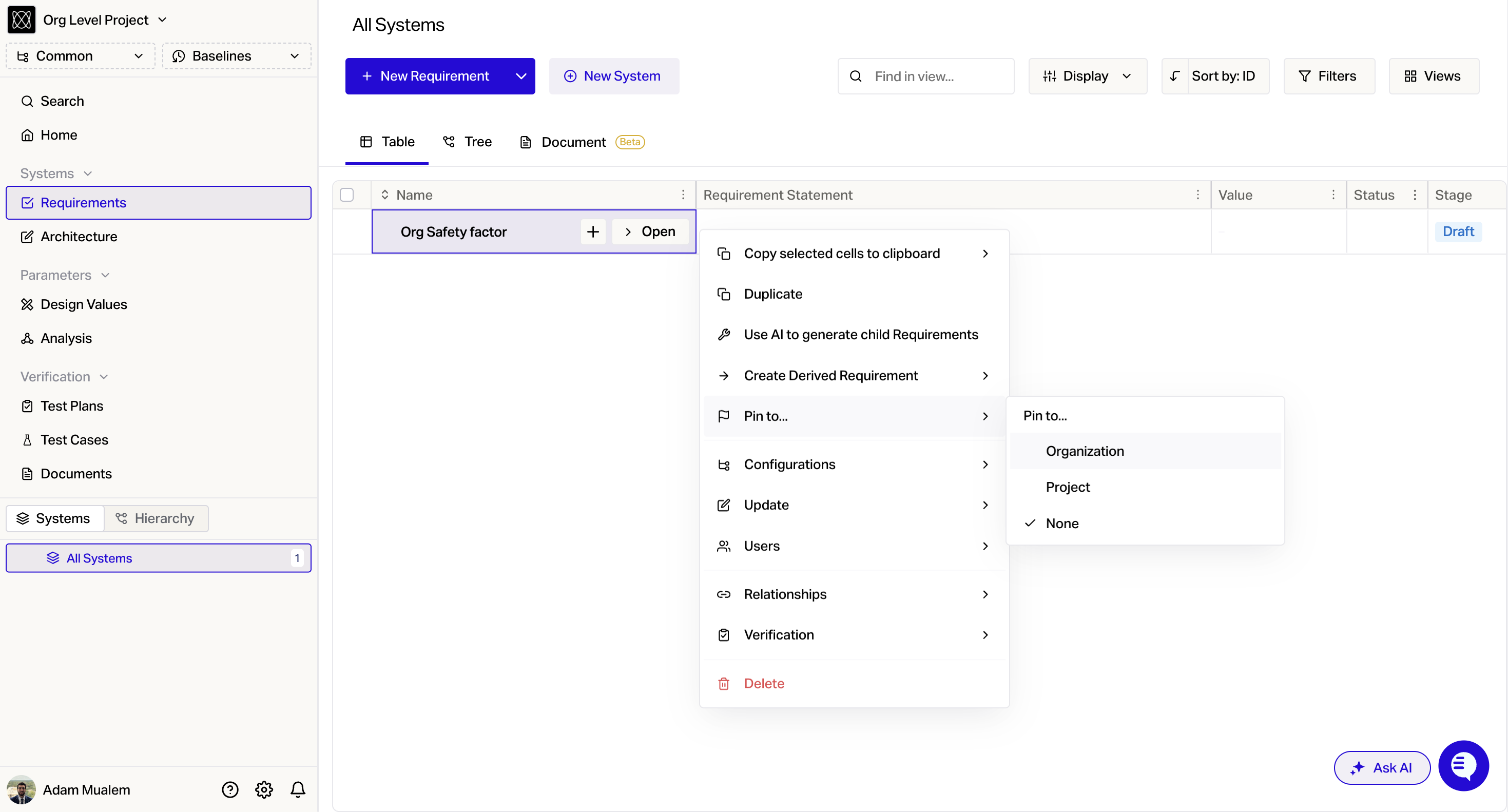
In this project, any requirement can be pinned as Organization level by right clicking the requirement, clicking Pin to... and choosing the Organization option.