Risks View
Last updated: August 13, 2025
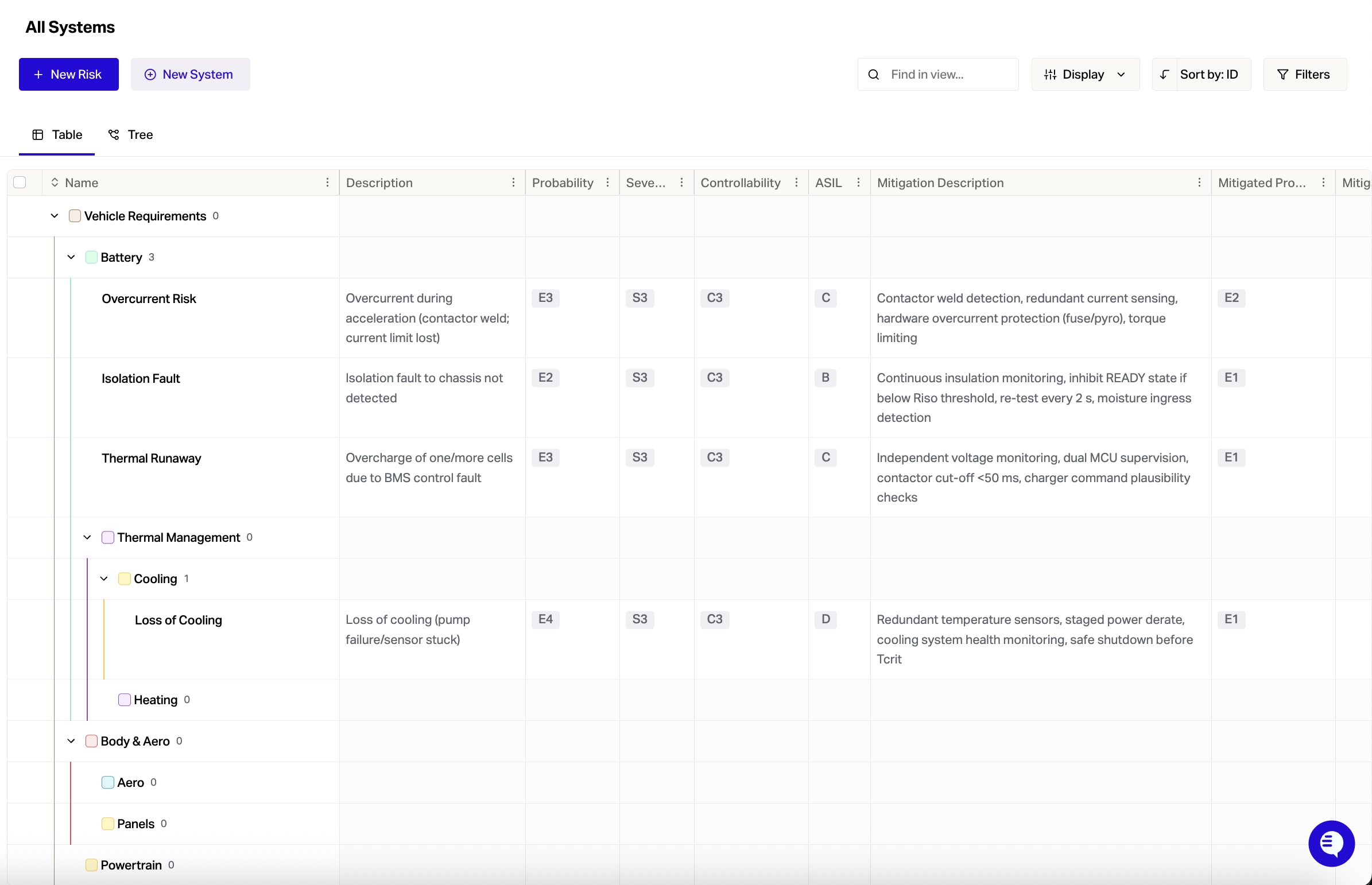
The purpose of risks view is to help capture failure modes and implement mitigations to reduce the risk for your systems failing.
You can turn on Risks View by going to Settings > Project > Beta Features > Enable Risks View.
These steps are recommended:
Define your systems and high level requirements in Flow
Perform a HARA or FMEA analysis of your system
Record the priority risks in Flow - fill in the risks table left to right
Make sure to record the mitigation actions in Flow
Make sure to link the risk to the relevant requirements and test cases
Requirement owners and test owners implement the mitigation
Record that the risk has been mitigated in the Flow risks table
By having risks linked to requirements with owners - Flow makes it easier to communicate and manage design changes by keeping all the relevant information in one place.