Tables in Text fields
Last updated: November 20, 2025
Flow supports tables natively in text fields. These can help communicate and structure the information you want to convey in a clear and easily-read way.
Limits
We strongly recommend that tables in text fields are no larger than 20x10 (20 rows, 10 columns). Flow will not enforce these limits, but certain functionality might not behave as expected if you surpass these limits.
This is what a 20x10 table looks like in Flow text:
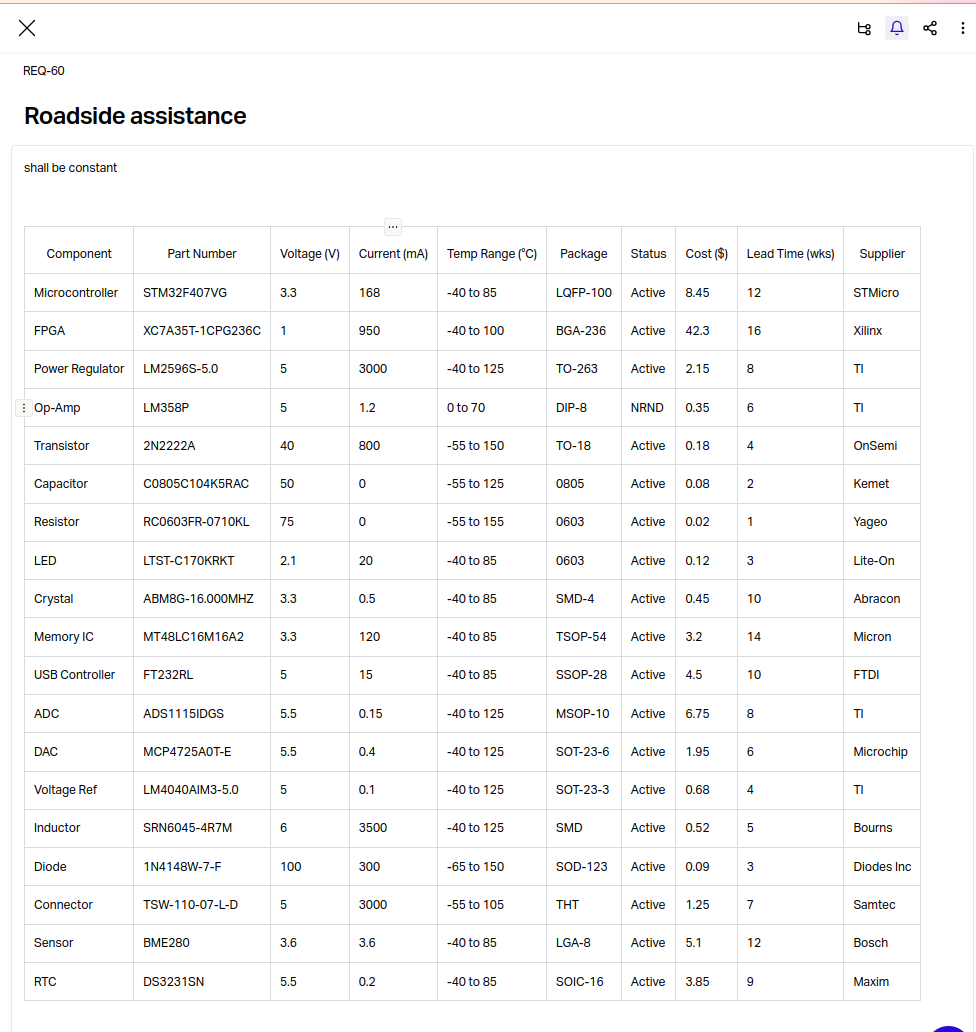
We suggest these limits because
Flow's text is intended to display information in a clear and easy-to-read way. It is not intended to be used as fully-fledged editor of tabular data
Spreadsheets (Excel, Google Sheets, etc.) are much better suited to storing and manipulating tabular data. They're purpose-built software for this use-case, while Flow is not.
There are numerous alternatives available if you do wish to attach larger tabular data to items in Flow.
Alternatives
Documents
Flow's Documents offer a way to store versioned, review-protected files within Flow, which you can then link to other items in Flow.
Documents can have Reviewers to protect against undesired changes to the Documents. They are also fully versioned - meaning that every time you upload a new file to your Document, you can still download previously uploaded files to that same Document in Flow.
Spreadsheet Models
Flow's Spreadsheet Models (under it's Analysis section) offers the ability to both upload versioned spreadsheets, and reference values from those spreadsheets directly within Flow text.
To reference values in cells from your Spreadsheet Model in Flow text, simply type = whilst editing Flow text, and select the Model you want to pull in values from.string