Roll Ups & Budgets
Last updated: July 30, 2025
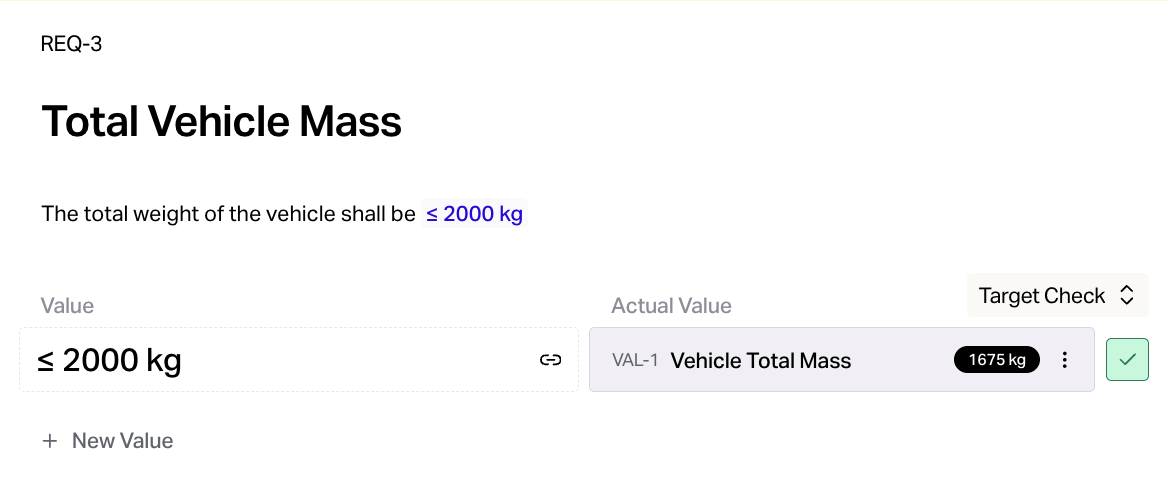
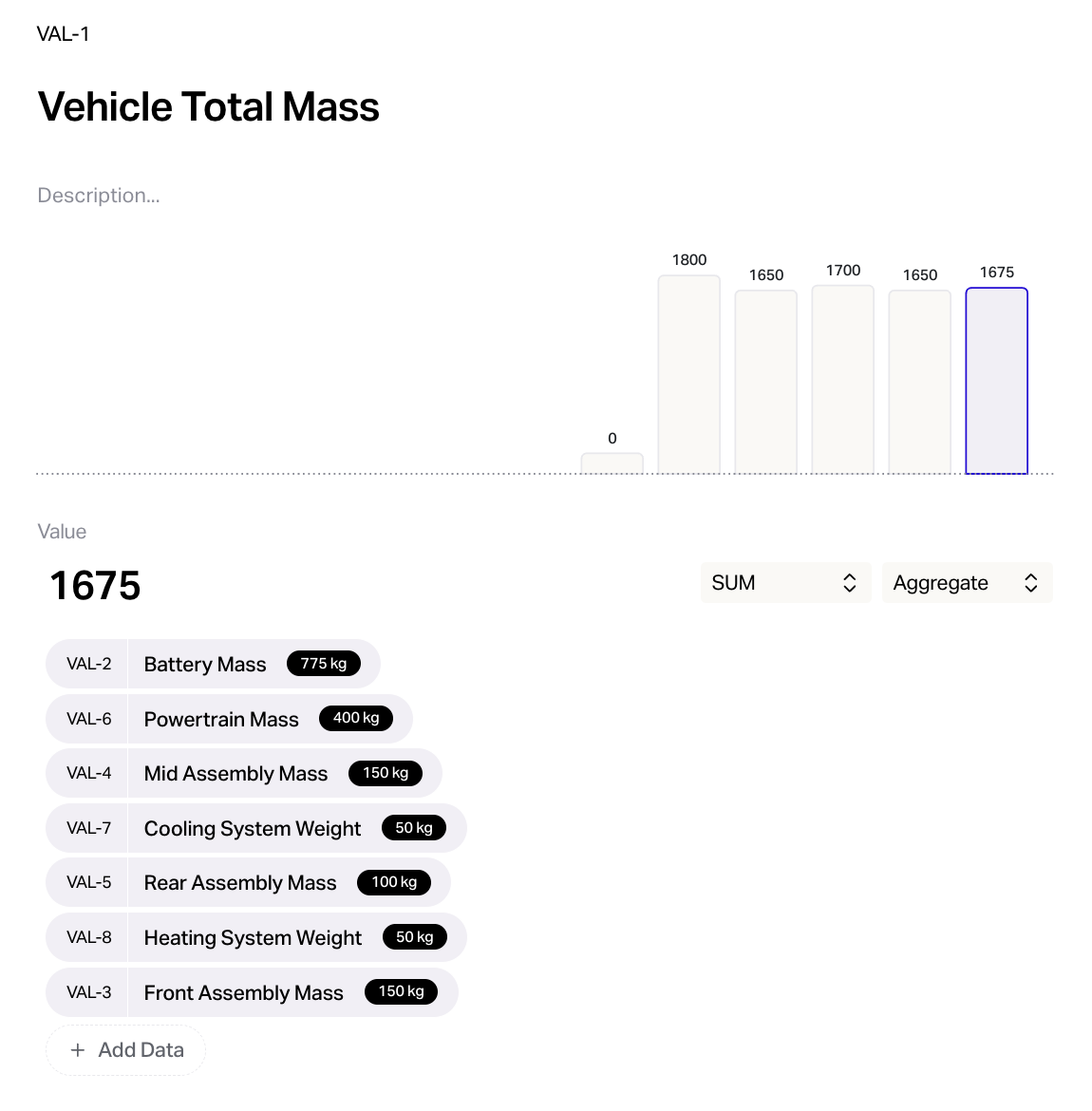
To track a roll up or budget in Flow you can use a Design Value to automatically sum a set of values and check against a target requirement.
First create the granular Design Values. To do this go to Design Values > + New Design Value and fill in the Design Value name, description and value.
Next create a design value that sums all the granular design values by following these steps:
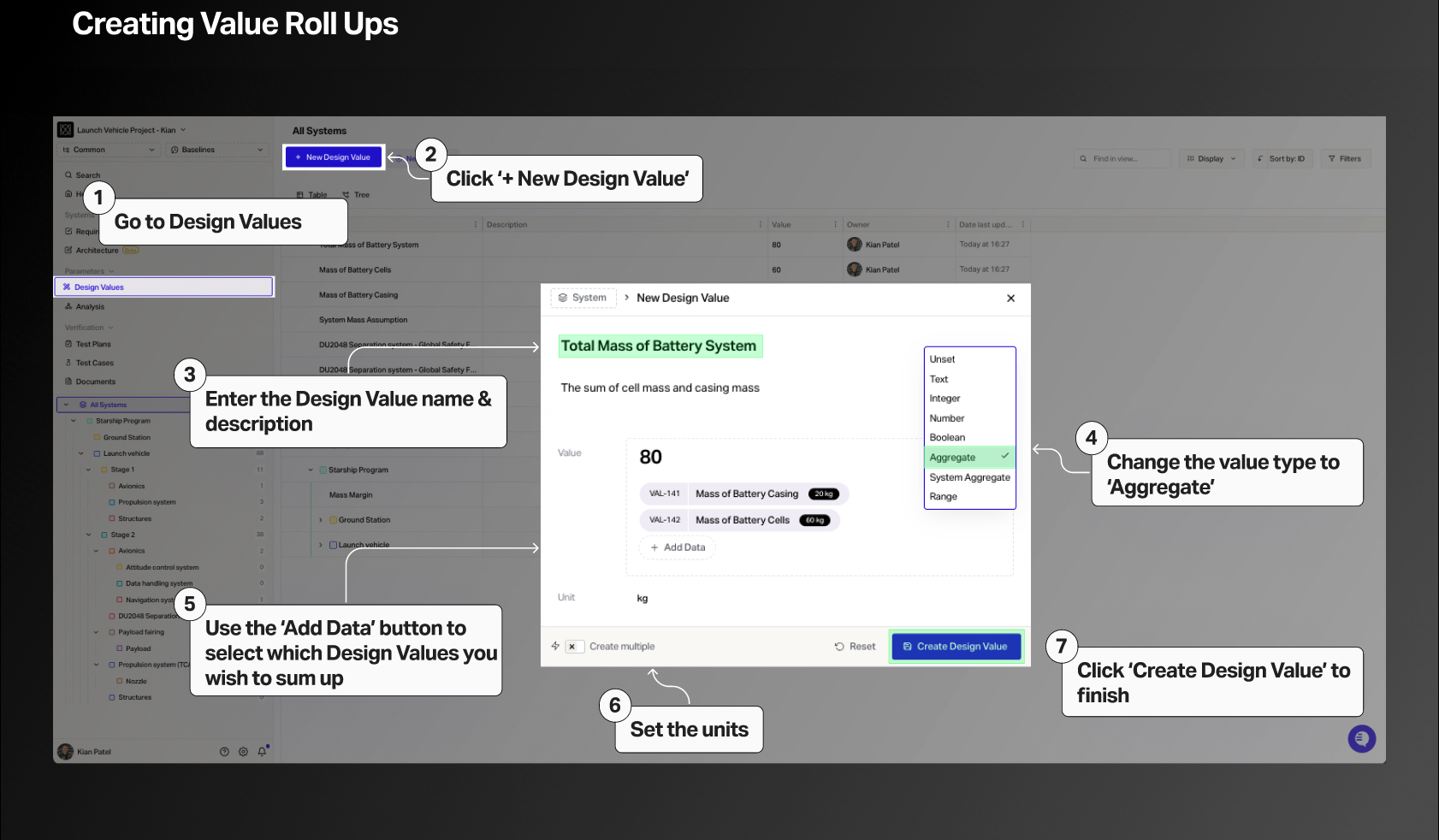
You can now set this Design Value as the Actual Value in a requirement -> Flow will automatically check vs Target and give a Pass / Fail status.